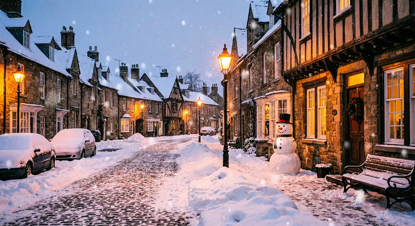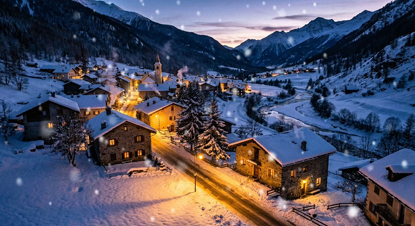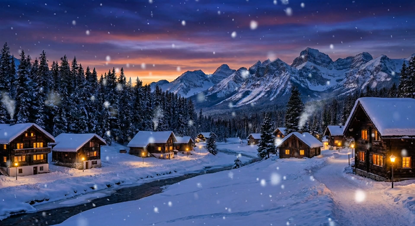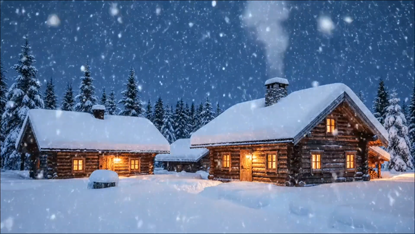
Window projection setup – Turn your window into a festive screen
Window projection setup can change the way your house looks on cold December evenings. Before you dive into gear, think about the scene you want. Do you want soft snowfall, bold cartoons, or a gently animated wreath? Pick a theme that suits your home and neighbors. Planning the visuals first saves time and money later. Keep the image size, brightness, and viewing angle in mind. It helps to sketch a rough idea of the window and the sidewalk. That sketch should show where people will stand and where the projector will sit. Good planning cuts trial-and-error in half and makes installation day relaxing.
Why choose a window projection setup for the holidays?
Window projection setup is low-effort and high-impact. You don’t need ladders or paint. You get animated motion, rich colors, and the option to change scenes nightly. For apartment dwellers, a projected scene can create a warm, festive vibe without altering the building. For homeowners, projections protect surfaces and are easy to remove. Another big win is safety. No open flames, no sticky adhesives that damage glass, and minimal cleanup. From a budget view, a basic projector and a roll of projection film can be cheaper than many permanent decorations. You’ll also avoid waste; one digital file can play every night and be reused for other events. The effect is flexible too: daytime light reduces contrast, so you’ll adapt content for dusk and night. Packaging your plan around evening hours guarantees the best visibility. Finally, window projections invite passerby smiles without blocking walkways or requiring assemblies that take all afternoon.
Choosing the right projection film and projector
Window projection setup starts with the screen. Choose a rear-projection film that sticks lightly to glass and diffuses light evenly. Matte films cut glare and keep images crisp. A thin frosted film is best for single-pane windows. For thicker or multi-pane windows, test a small patch first. Next pick your projector. Look for ANSI lumens that match your setting. For city sidewalks and streetlight glare, aim for 2,500–4,000 lumens. For darker residential streets, 1,500–2,500 lumens may suffice. Throw ratio matters: measure the distance from projector to window and check the projector spec. A short-throw model is ideal for tight spaces where the projector must sit close to the window. Consider keystone correction and lens shift; they let you square the image without awkward placement. If you want crisp text or fine details, prioritize projectors with higher native resolution. Don’t forget connectivity. Choose a model with HDMI, and, if you want wireless control, support for Wi‑Fi or a streaming stick. Portable battery-powered projectors work for short events, but for long nightly shows, a mains-powered model is more reliable.
Measuring, mounting and placement tips
Window projection setup works best when you measure first. Mark the window width and height. Stand on the sidewalk and note common viewing angles. People often look from slightly below or level with the center of the window, so aim to center the image about 4–5 feet above the ground for typical sidewalks. Measure the distance where the projector will sit. If you plan to place it on a window sill, measure the inside depth. If it will be outside, think about weather protection and a stable platform. Use a small tripod or shelf for stable placement. If you need to sit the projector on a floor inside, place a matte black board under it to reduce reflection. For window-mounted setups, keep the projector a few inches away from the glass to avoid heat transfer and accidental bumps. Tape down extension cords and use cable covers for walkways. When mounting the film, clean the glass with isopropyl alcohol and a lint-free cloth for best adhesion. Apply film slowly, smoothing bubbles outward with a squeegee or a soft card. Take a step back and test the image alignment before final fixes; small shifts in film position can change how the scene looks outside.
Balancing brightness and visibility
Window projection setup visibility depends on ambient light and content. If your street has bright lamps, pick higher lumen projectors and use high-contrast content. Dark scenes with bright highlights read well on frosted film. If you want soft, peaceful scenes like snowfall, lower brightness with gentle halos will look cozy. Use color carefully; reds and blues can appear stronger through glass, so tweak saturation in your content player. Test images at the time you expect the most viewers. Often, the first 20 minutes after sunset give the best balance between enough ambient light for context and darkness for contrast. If glare from inside lights ruins the image, dim inside lighting or use blackout curtains around the projection area. Consider adding a thin matte black frame inside the window to increase perceived contrast. For motion, keep animation smooth but avoid very fast scenes if your projector has lower refresh rates. Finally, practice adjusting brightness and contrast controls on the projector rather than in post; small adjustments make big visual differences on film screens.
Safety, power and weather considerations
Window projection setup should be secure and safe. Plan electrical runs carefully. Use grounded extension cords and a weatherproof outlet if the projector sits outside. Keep cables taped and out of walkways. If you mount gear indoors, place a surge protector under the projector and keep power supplies on a stable shelf. Heat can build up; allow ventilation space around the projector and avoid placing it where blankets or curtains touch vents. For outdoor installations, use an IP-rated enclosure or a simple plastic bin with ventilation holes to shield gear from light rain or snow. Secure the enclosure so wind won’t move it. Avoid running extension cords across doors that close; that can pinch cables and cause damage. Consider a remote power switch or smart plug so you can turn the show off without opening windows. If you use batteries, know the runtime and keep backups. Finally, check local rules or building policies on projections facing public space; choosing neighbor-friendly content keeps things friendly and avoids complaints.
Final tweaks, content and testing for a smooth show
Window projection setup shines when you test it before the main event. Create or download short clips and run them full loop for at least 15 minutes to watch for overheating or disconnections. Check the image from the sidewalk at different distances and heights. If characters look stretched, adjust aspect ratio or reposition the projector. Keep a simple control kit nearby: a small ladder, gaffer tape, a microfiber cloth, and spare HDMI cable. For content, use low-bandwidth files if you stream from a phone; large 4K files may stutter on cheap players. Offer variety in a short playlist—30 to 90 seconds per clip keeps attention and avoids annoying repeat. Label your playback files clearly and test transitions so the loop feels smooth. If neighbors will see your projection, keep volumes low or use silent visuals. When the season ends, remove film carefully and store the projector in a dry place. With these steps you’ll run a safe, repeatable, and joyful display that feels professional and stays stress-free.
Popular projections